Get paid in crypto, straight to your wallet.

Add a crypto checkout to any website in minutes. Customers pay in USDT, USDC, Bitcoin, ETH and more, and every payment lands in your own wallet. Teroway never holds your money.

Your customers pay from any wallet or exchange.
No account, no app, no sign-up.
9:41
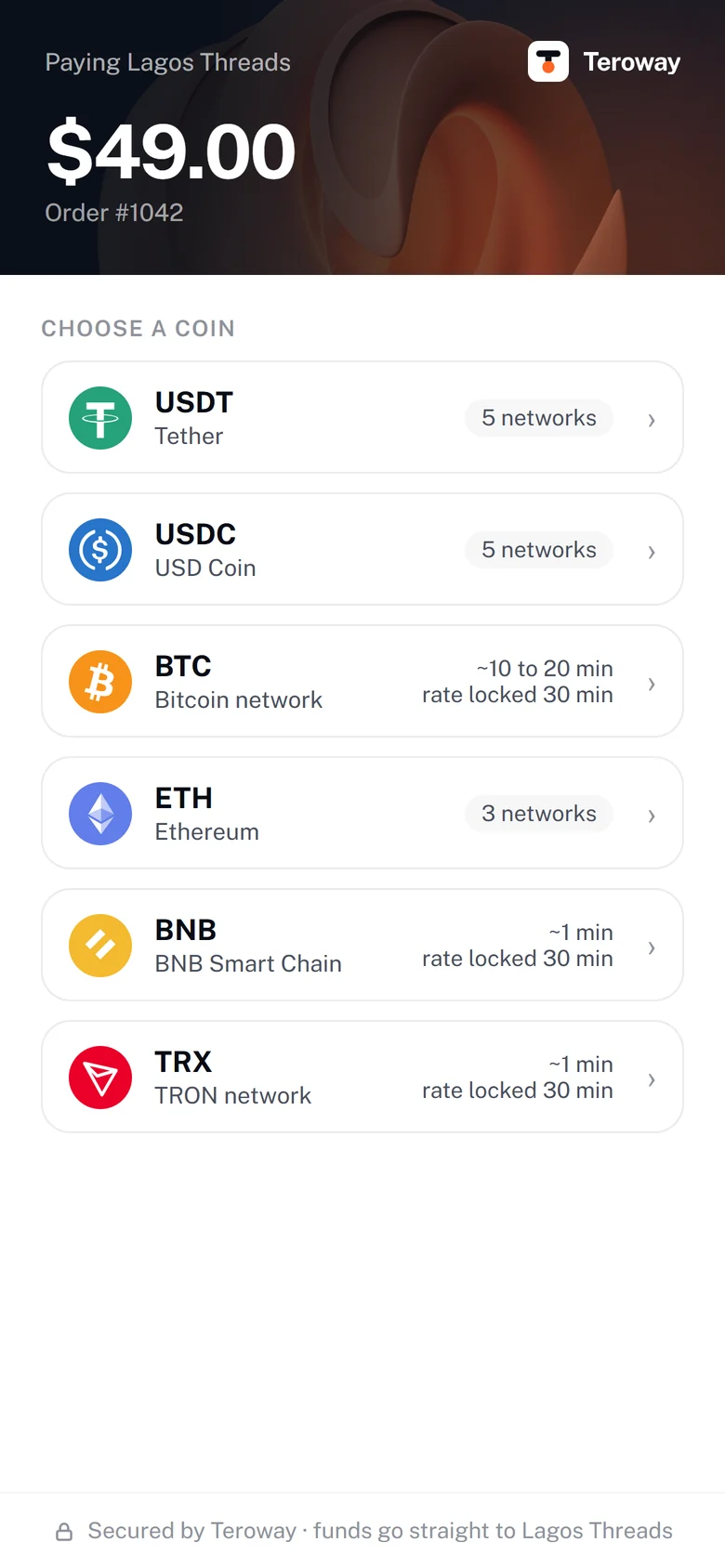
Teroway checkout on a phone, showing a $49 order and a choice of USDT, USDC, Bitcoin, ETH and other coins
Payment received+49.044 USDC
Rate locked for30 min
$0Funds held by TerowayNone, ever
Real Teroway checkout · example order

Crypto payments that land in your wallet, not ours.

Most crypto gateways collect your money first and pay you out later. Teroway only watches the blockchain, matches each payment to its order and tells your site the moment it confirms.

Business owner smiling at her laptop in a bright office
Order #1042 paid49.069 USDT · TRON · sent to your walletexample

No account for your customers

They open the checkout, pick a coin and pay from the wallet they already use.

Paid in 1 min
Detected in about
1 min

Stablecoins on TRON, BNB Chain, Base and Arbitrum confirm in about a minute. Bitcoin takes one block.

Every payment gets a unique amount

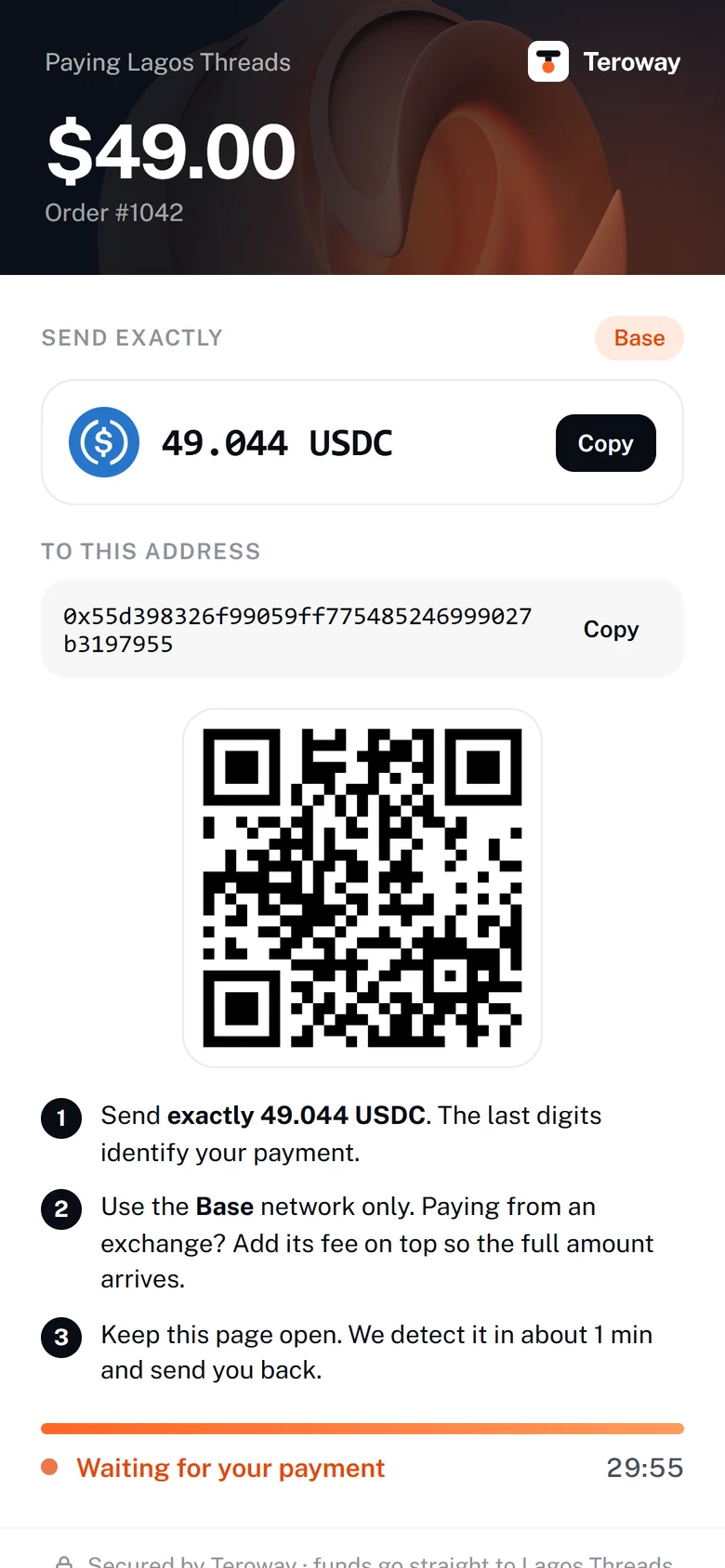
The last digits identify the order, so Teroway matches it automatically. Wrong amount or late? It shows up as unmatched, ready for you to credit.

Checkout asking the customer to send exactly 49.069 USDT to a wallet address, with a QR code
How it works

Three steps for your customer

No account, no app, no sign-up. They pay from any wallet or exchange.

Step01

Pick a coin

The checkout shows the coins you accept. Prices for BTC, ETH, BNB, TRX and LTC are converted from USD and locked for 30 minutes.

Step02

Send the exact amount

Each payment gets a unique amount down to the last digits, so it is matched to the right order automatically.

Step03

Confirmed and sent back

Once it confirms on-chain, the customer returns to your site and your server gets a signed webhook.

Integrate

Three ways to add Teroway to your site

Start with a link today. Move to the API when you need full control.

Customer with shopping bags paying on her phone
teroway…/l/pl_8f2c41d0
No code

Payment links

A link with a fixed price. Share it in an Instagram bio, a WhatsApp chat or an invoice email.

Boutique owner working on his online store from a laptop Pay with crypto
Copy and paste

Drop-in button

Two lines of HTML. The checkout opens on top of your page and sends the customer back when paid.

curl -X POST …/v1/invoices \
  -H "Authorization: Bearer tw_sk_…" \
  -d '{
    "amount": "49.00",
    "order_id": "1042",
    "callback_url": "https://…"
  }'

# → checkout_url, then a signed
#   invoice.paid webhook
Developers

API and webhooks

Create an invoice per order from your server and get signed webhooks when it is paid, underpaid or expires. Build it all in test mode first.

Coins

Accept the coins people actually hold

USDT and USDC on every major network, plus Bitcoin, ETH, BNB, TRX and LTC at a USD rate locked for 30 minutes.

USDTTether
TRONBNB Smart ChainEthereumPolygonArbitrum One
USDCUSD Coin
BNB Smart ChainEthereumPolygonBaseArbitrum One
BTCBitcoin
Bitcoin
ETHEther
EthereumBaseArbitrum One
BNBBNB
BNB Smart Chain
TRXTRON
TRON
LTCLitecoin
Litecoin
Coin and network options
17
across 8 blockchains, all paid straight to your wallets
For your business

Built for small online businesses

  • ✓Money goes to your wallet the moment the customer sends it.
  • ✓Prices in USD. Customers see the exact coin amount to send.
  • ✓One wallet address works for every EVM network: Ethereum, BNB Chain, Polygon, Base and Arbitrum.
  • ✓Wrong amount or late payment? It shows up as unmatched so you can credit it by hand.
  • ✓Changing a receiving address needs an authenticator code and sends an email alert.
For your developers

A small, predictable API

  • ✓REST endpoints with one secret key.
  • ✓Test mode with simulated payments, so you can build without real crypto.
  • ✓Signed webhooks for paid, expired, underpaid and overpaid, with a delivery log and resend.
  • ✓Hosted checkout that works on any phone browser.
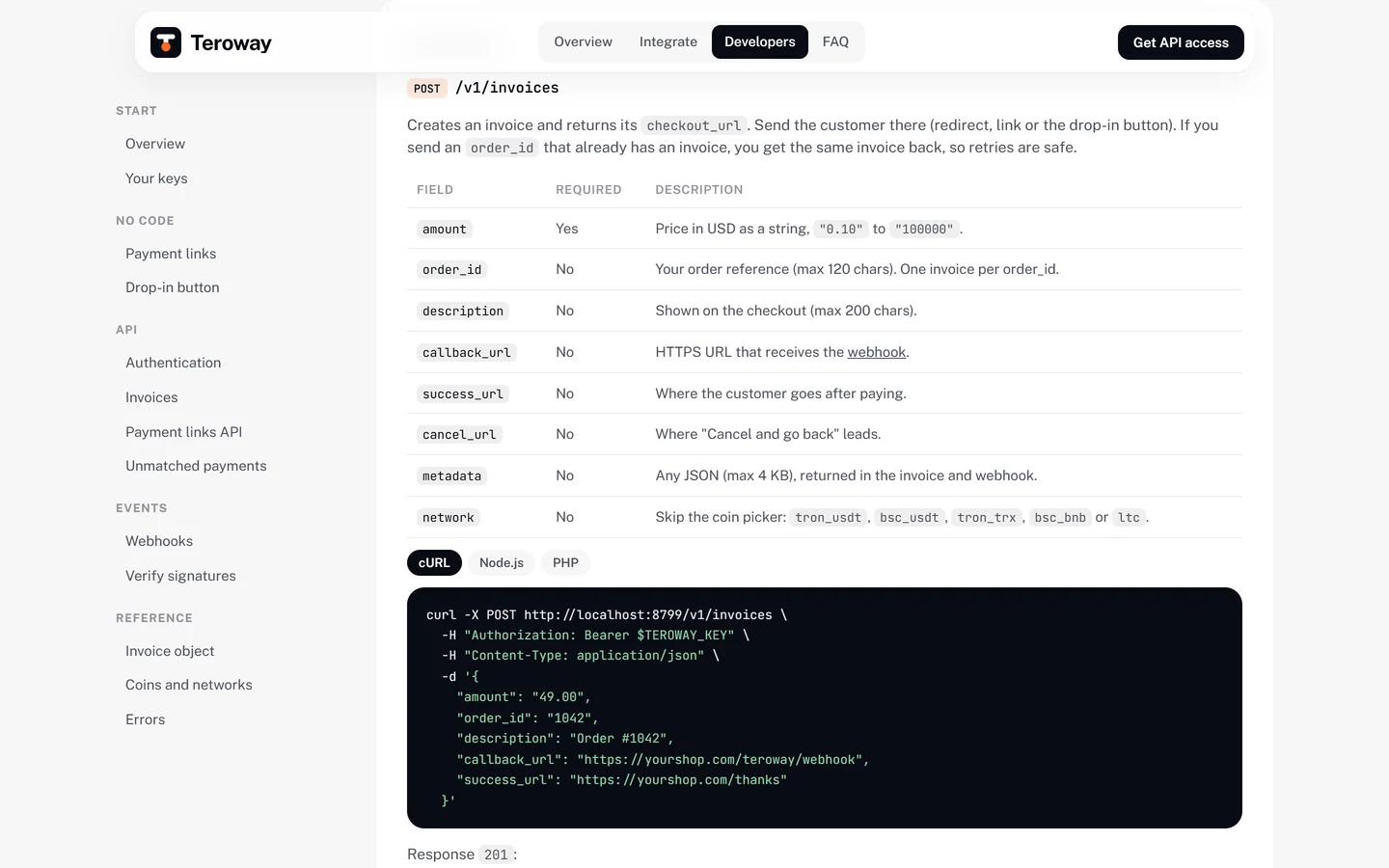
Teroway developer documentation for creating invoices
Pricing

Free to start. 0.5% when you grow.

No setup fee, no monthly fee. You only pay on payments you actually receive, and the first $1,000 every month is free.

First $1,000 each month
Free

Every merchant, every month. Enough to launch and test with real customers.

$1,000 to $50,000 a month
0.5%

Only on the part above $1,000. A $49 order costs you about 25 cents.

Above $50,000 a month
0.3%

Lower rate on everything above $50,000 in the same month, automatically.

Prepaid, no surprisesFees come out of a balance you top up in USDT or USDC. Your customers' money never passes through us.
3 days' graceIf the balance runs out, checkouts keep working for 3 days while you top up.
Test mode is freeBuild and test as much as you like. Test payments are never charged.
Every coin, same priceUSDT, USDC, Bitcoin, ETH and the rest all cost the same.
FAQ

Common questions

Something else? Ask us.

Does Teroway hold my money?

No. Customers send payments to your own wallet addresses. Teroway reads the public blockchain to see the payment arrive and never has access to your funds or keys.

How much does Teroway cost?

The first $1,000 of payments each month is free. After that it is 0.5% of what you receive, and 0.3% on anything above $50,000 in a month. There is no setup or monthly fee. Fees come out of a prepaid balance you top up in stablecoins.

Do my customers need an account?

No. They open the checkout, pick a coin and send it from any wallet or exchange.

What if a customer sends the wrong amount?

The payment still reaches your wallet. It appears in your unmatched payments list, where you can attach it to the right order.

How fast is a payment confirmed?

On TRON, BNB Chain, Base and Arbitrum, usually about a minute. Ethereum and Polygon take two to three minutes, Litecoin about three, and Bitcoin one block (usually 10 to 20 minutes). Teroway waits for enough confirmations to be safe before marking an order paid.

Can I use it without a developer?

Yes. Payment links and the drop-in button need no server code. Use the API when you want one invoice per order with automatic order updates.

How do I get started?

Request API access with your wallet addresses. Accounts are reviewed and set up by hand for now, and you receive your API key by email.


Start accepting crypto this week.

Tell us about your business and which coins you want. We set you up and send your API key.

Get API accessRead the docs